
Memory System
Depends on CC Sandbox: No
Must be bound to a workspace: Yes
The memory system gives the AI long-term memory.
In ordinary conversations, the AI doesn't remember what was discussed before. Once the memory system is enabled, every conversation and task in the workspace automatically consolidates into memory. The next time you interact, the AI can recall previous discussions, your preferences, and project context — no need to explain from scratch every time.
This means the longer you use a workspace, the deeper the AI understands you, and the more efficient your collaboration becomes.
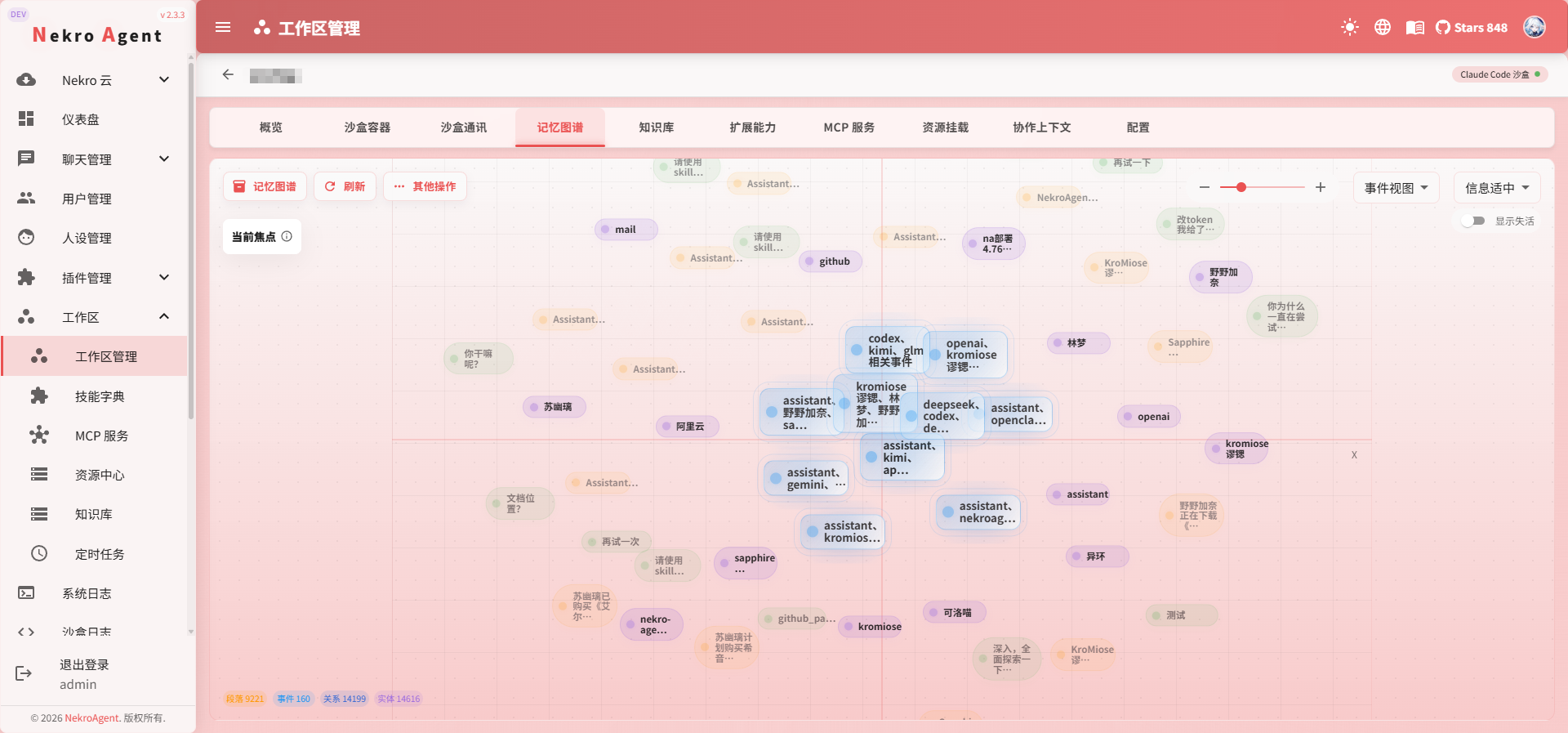
Zero Barrier to Use
The memory system does not depend on the Claude Code Sandbox. As long as you have a workspace with the memory switch enabled, you can start accumulating memories immediately.
What the Memory System Brings
No More Repeated Context Explanations
"Our project uses FastAPI + PostgreSQL" — "The solution we discussed last time was A" — you only need to say these things once. The memory system automatically extracts and retains this key information.
Deepening AI Understanding of Your Project
Every conversation adds depth to the AI's understanding. A workspace that has been in use for several weeks will give the AI a far deeper understanding of project structure, tech stack, and business logic than a fresh conversation.
Automatic Consolidation of CC Sandbox Experience
When the CC Sandbox completes a complex task, the conclusions and lessons learned are automatically consolidated into semantic memory, becoming long-term reusable knowledge. For example: "The project's authentication module is at /src/auth/, using JWT + Redis."
Shared Memory Across Channels
Multiple channels bound to the same workspace share memory. Team members asking questions in different channels will receive consistent answers from the AI based on the same set of memories.
What the AI Remembers
The memory system automatically organizes long-term context from the workspace. Common content includes:
| Type | Examples |
|---|---|
| Project Background | Project purpose, tech stack, commonly used commands, deployment method |
| Members and Preferences | Who is responsible for what, common expression habits, output format preferences |
| Historical Decisions | Previously discussed solutions, eliminated options, final conclusions |
| Task Experience | Stable insights summarized by the Claude Code Sandbox after completing tasks |
| Important Events | Requirement changes, troubleshooting processes, milestone meeting conclusions |
These memories automatically participate as reference in subsequent conversations. You don't need to manually specify "which memory to look up" — just keep using the same workspace.
How Memories Take Effect
Automatic Consolidation
Memory consolidation is fully automatic and requires no manual action. The system periodically organizes conversations and task results in the workspace, converting information suitable for long-term retention into memories.
By default, consolidation is triggered when:
- A certain number of new messages accumulate
- A certain amount of time has passed since the last consolidation
- The Claude Code Sandbox completes a task with consolidable conclusions
Automatic Recall
When the AI processes new messages or tasks, it automatically searches for relevant memories based on the current question and incorporates useful information into its response.
If you find that the AI is not recalling certain information, you can try:
- Continue the conversation in the same workspace and add relevant keywords
- Confirm that the memory system is enabled
- Check that the embedding model group is available
- Execute a memory rebuild if necessary
Automatic Cleanup
More memories are not always better. Information that is no longer relevant and rarely referenced will gradually decrease in priority; important information that is frequently used will be easier to recall.
Prerequisites
Enabling the memory system requires:
- Setting
MEMORY_ENABLE_SYSTEMtotrue(System Configuration -> Basic Configuration) - Configuring an available embedding model group (
MEMORY_EMBEDDING_MODEL_GROUP) - Confirming the embedding dimension matches the model (
MEMORY_EMBEDDING_DIMENSION, default 1024) - Configuring a model group for memory consolidation (
MEMORY_CONSOLIDATION_MODEL_GROUP) - Confirming that the vector database service in your deployment environment is running normally
Memory Rebuild
If memory data becomes abnormal, or you want to re-extract memories from historical messages, you can use memory rebuild.
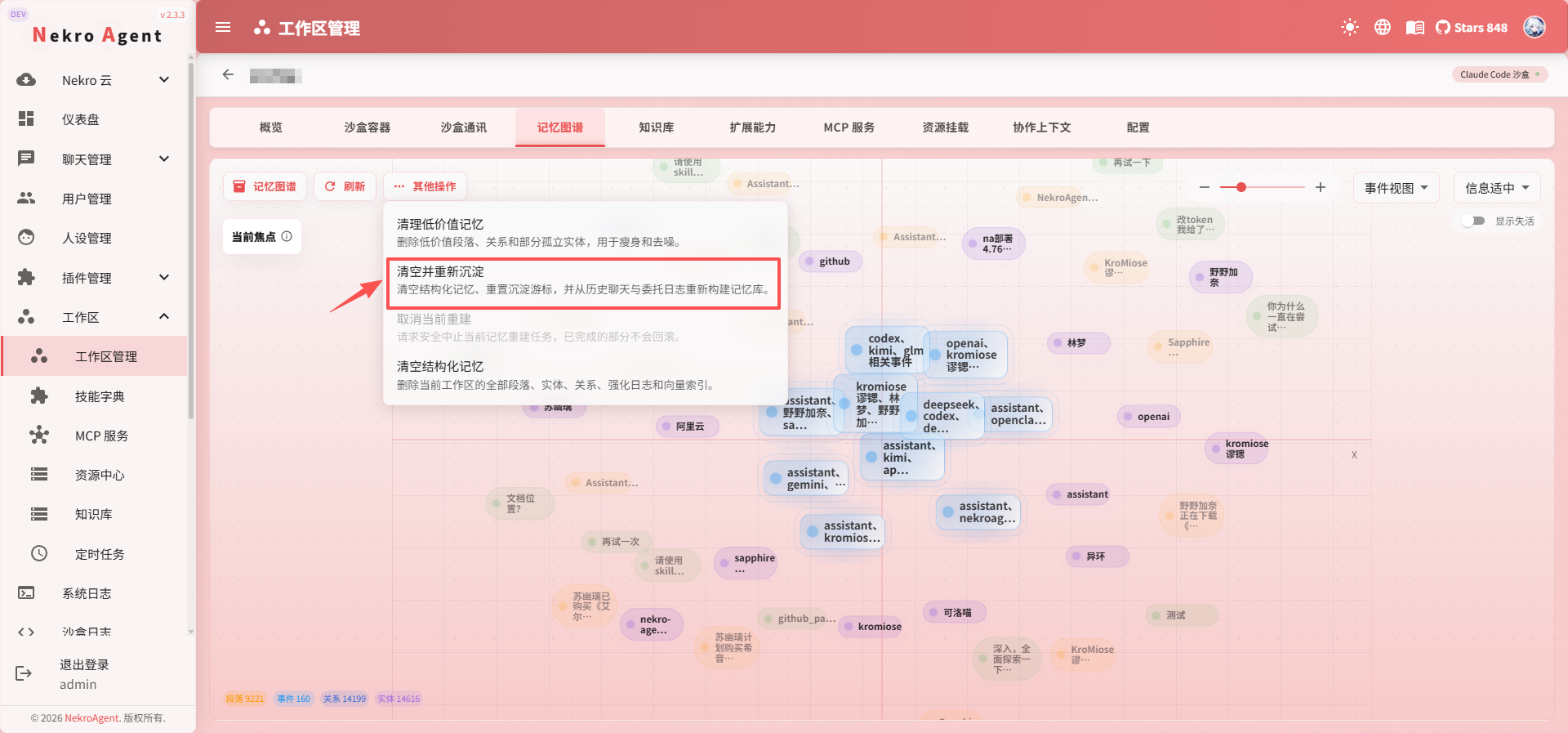
Rebuild clears the current workspace's memories and re-consolidates them from historical messages. By default, it looks back 30 days (configurable via MEMORY_REBUILD_LOOKBACK_DAYS).
Rebuild Cost
Memory rebuild consumes significant LLM calls and time. We recommend performing it during off-peak hours and only when truly necessary.
Key Configuration Options
| Configuration | Default | Description |
|---|---|---|
MEMORY_ENABLE_SYSTEM | false | Master switch for the memory system |
MEMORY_CONTEXT_MAX_LENGTH | 1200 | Maximum length of memory content referenced in a single response |
MEMORY_CONSOLIDATION_MSG_THRESHOLD | 50 | Number of accumulated messages to trigger automatic memory consolidation |
MEMORY_CONSOLIDATION_TIME_THRESHOLD_HOURS | 2.0 | Hours since last consolidation to trigger automatic memory consolidation |
MEMORY_RETRIEVAL_DEFAULT_LIMIT | 10 | Maximum number of candidate memories referenced in a single query |
MEMORY_RETRIEVAL_MIN_SIMILARITY | 0.5 | Minimum relevance score for memory matching |
MEMORY_PRUNE_ENABLED | true | Whether to automatically clean up long-unused memories |
For a complete list of configuration options, see System Configuration.
Usage Tips
- Enable early: We recommend enabling the memory system right after creating a workspace; the earlier you start accumulating, the deeper the AI's understanding
- Stay consistent: Long-term workspace memories become more valuable over time; avoid frequent rebuilds
- Be specific: Describe context clearly when conversing with the AI to help the memory system extract more accurate information
- Combine with the knowledge base: The knowledge base stores static materials while the memory system accumulates dynamic context — they complement each other
- Tune for results: If the AI frequently fails to recall relevant content, try increasing the number of candidate memories or enabling enhanced retrieval (
MEMORY_ENABLE_ENHANCED_RETRIEVAL)
Related Documentation
- Workspace Overview
- Knowledge Base — Static knowledge, complementary to dynamic memory
- Claude Code Sandbox — CC task conclusions automatically consolidate into semantic memory
- System Configuration