Command Center
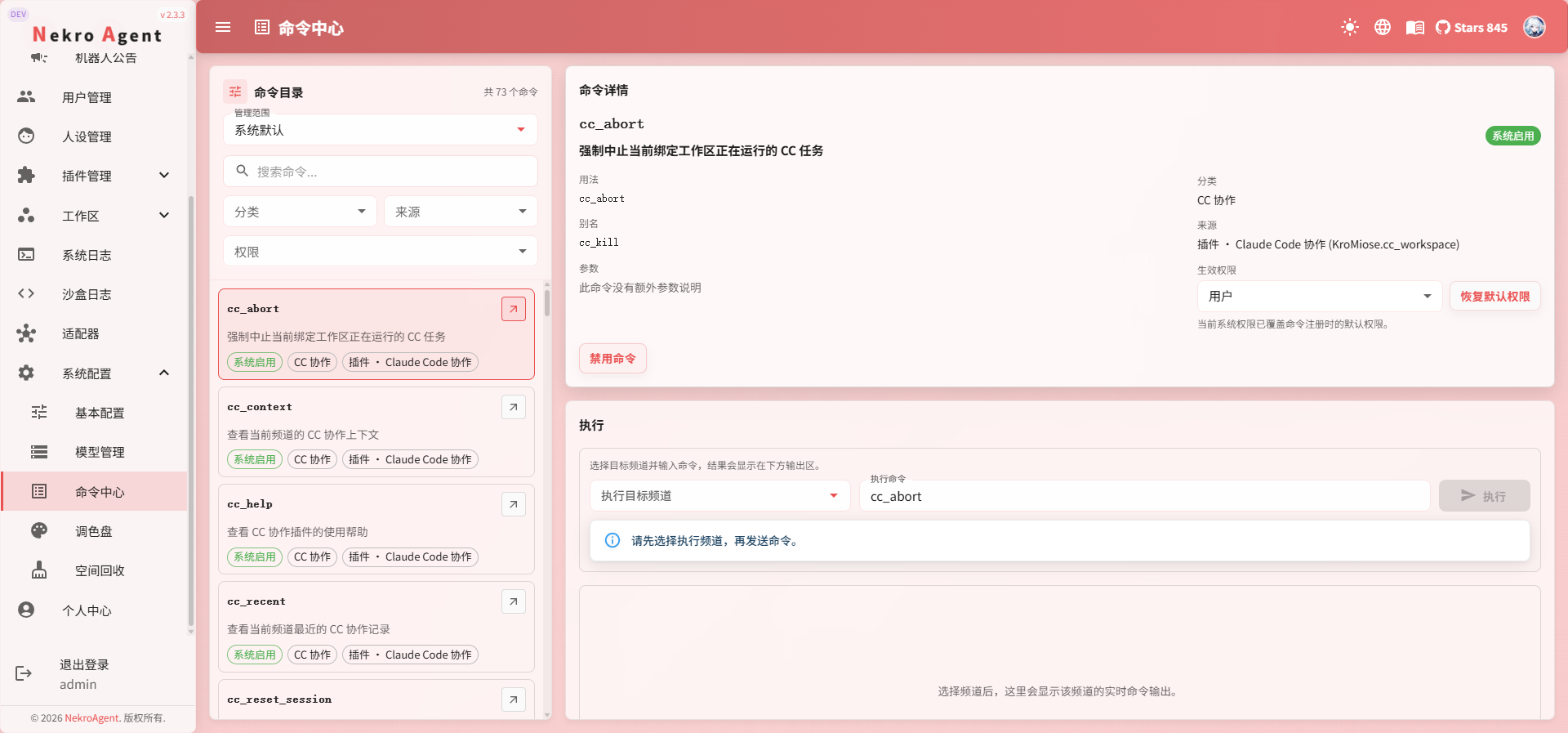
The Command Center is the unified entry point for managing and executing commands.
If you need to check whether a command is enabled, which channels it is available in, what its permissions are, or if you want to test-run a command directly in the WebUI, this is the page you will use.
What This Page Can Do
In the Command Center, you can typically accomplish the following:
- View which commands are currently available
- Filter commands by category, source, and permissions
- View a command's description, aliases, and parameters
- Toggle a command on or off
- Adjust command permissions
- Set override configurations for individual channels
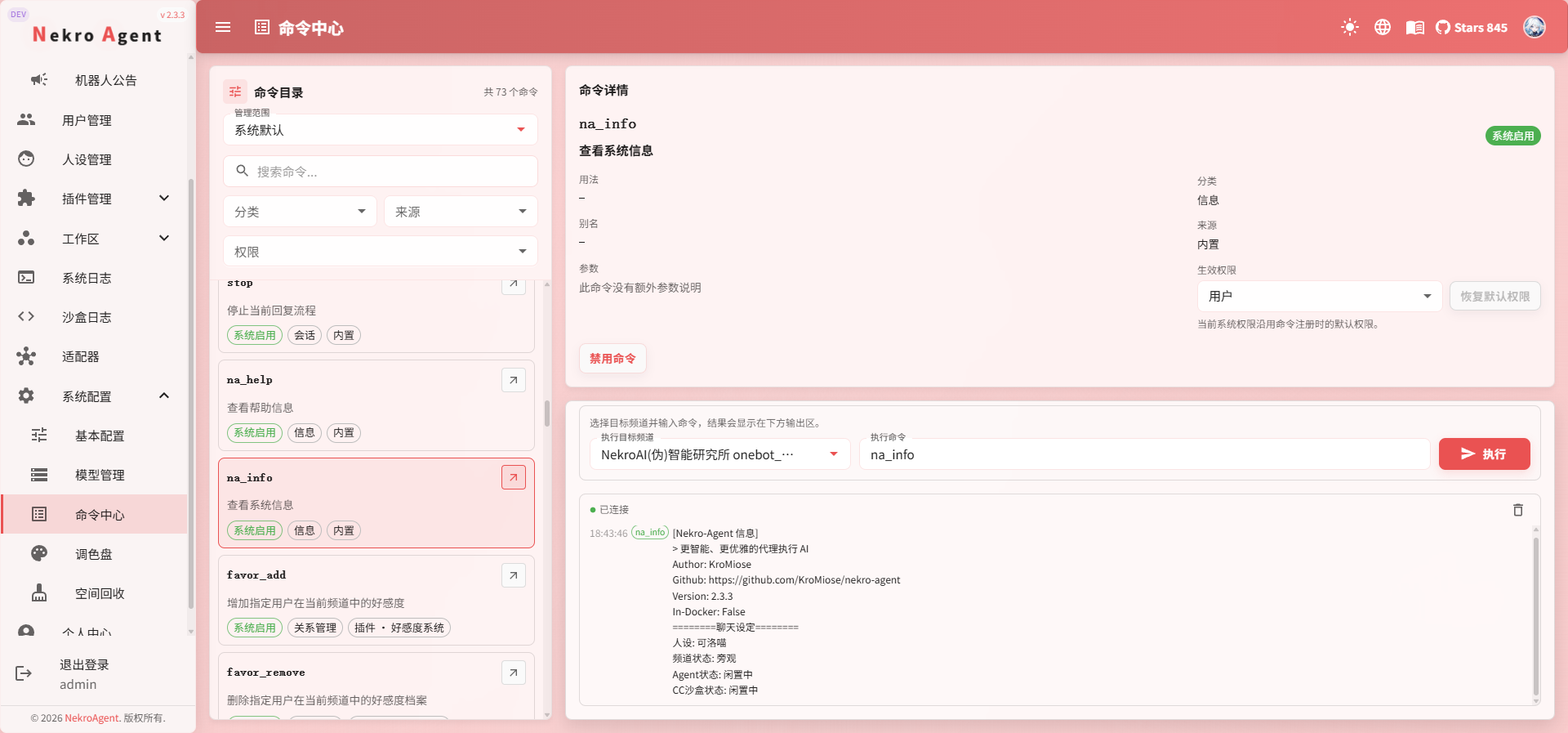
- Execute commands directly in the WebUI
- View command output in real time
Understanding Scope
The Command Center typically has two scopes:
System DefaultSpecific Channel
If you modify settings under System Default, it affects the global default behavior. If you switch to a Specific Channel, it affects only that channel's override configuration.
When to Use System Default
The following scenarios are better suited for System Default:
- You want to globally enable or disable a command
- You want to uniformly change the default permissions of a command
- You just want to see which commands are available across the entire system
When to Use Specific Channel
The following scenarios are better suited when switching to a Specific Channel:
- A command should only be available in one channel
- A channel needs to independently disable a command
- You are troubleshooting "why isn't this command working in this channel"
What to Look for in Command Details
After clicking on a command, the most important things to check first are:
- Command description
- Usage
- Aliases
- Parameters
- Effective permissions
- Source
If it is a plugin command, you can also check which plugin it comes from.
What Is the Use of Executing Commands in the WebUI
If you do not want to switch to a chat platform to test, you can select a channel and execute commands directly in the Command Center.
This is more suitable for:
- Quickly verifying whether a command works
- Viewing command output
- Troubleshooting parameter issues
- Reproducing command behavior from a specific channel
Usage Recommendations
- Review command details before changing toggles and permissions
- When working with channel overrides, confirm whether you are modifying the System Default or a Specific Channel
- If you are only troubleshooting temporarily, prefer executing in a test channel